

Heat numbers you control. Dispatch documents that stay with the spool.
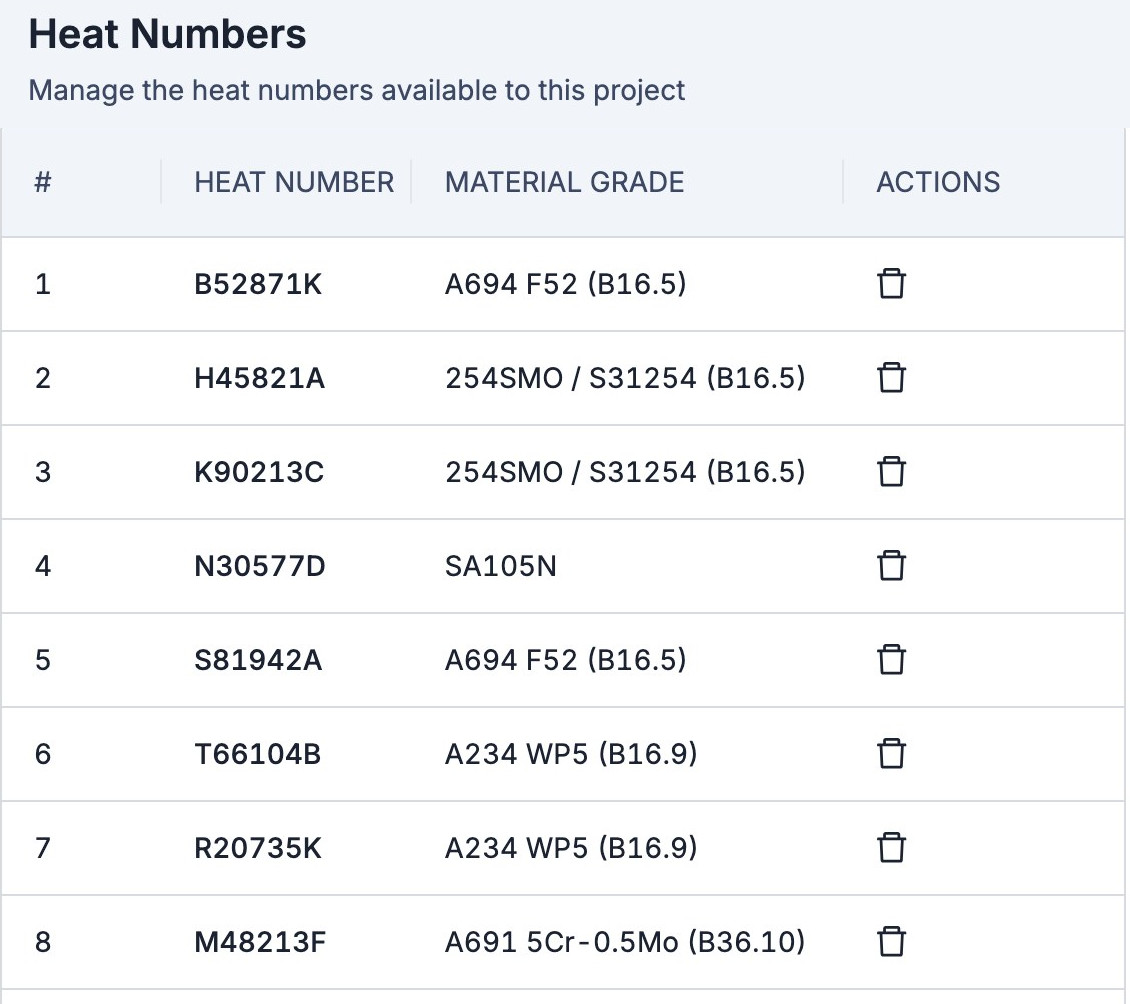
One heat number list per project, approval of every spool for dispatch, and a place to attach the delivery paperwork.
Sound familiar?
What the week looks like before Pipesurf.
A heat number typed wrong on the floor.
One wrong character, and the traceability chain for that joint is broken.
The heat list lives in your spreadsheet.
The floor can’t see it, so they write down their own.
Delivery notes live in email.
Packing lists in another folder. The spool record knows nothing about either.
Dispatch approval by phone.
A spool leaves the yard and nobody can say who released it.
No typing. No typos.
Each side of a joint shows only the heat numbers registered against its material grade. The foreman picks; nobody types.
Only heat numbers registered against the joint’s material grade appear. No typing, no typos.
What changes with Pipesurf
Four things that stop happening the week you go live.
 With Pipesurf
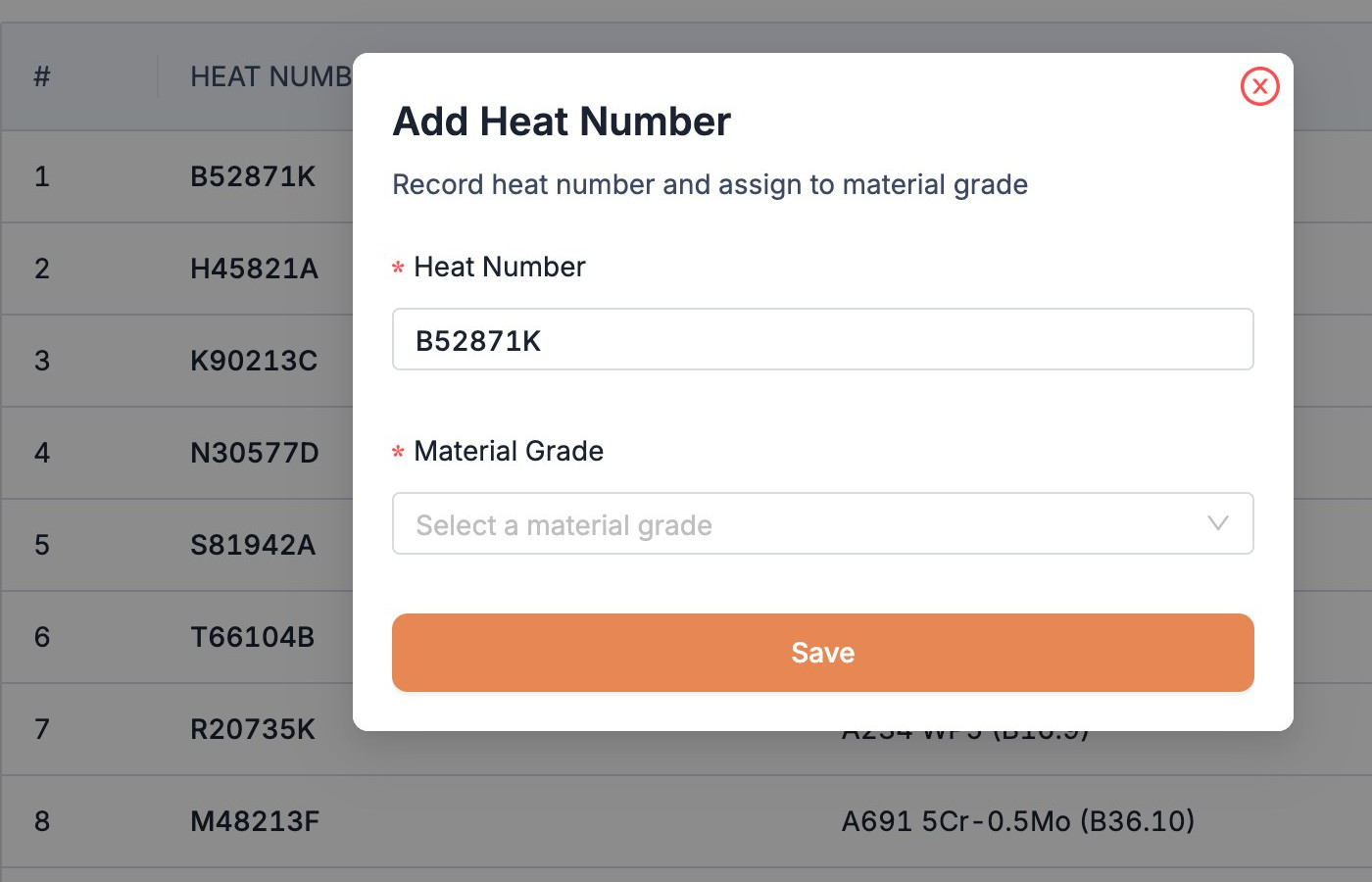
Build the list in minutes
Add a heat number and pick its material grade, or bulk-upload the list from the template. It’s validated before it’s saved.
What you get
Built around the work you actually do, not around a spreadsheet.
One list per project
Add heat numbers one by one or bulk-upload from Excel, each tied to its material grade.
No typing on the floor
Each side of a joint shows only the heat numbers for its own grade.
You release the spools
Spools ready for dispatch come to your queue for approval.
Paperwork on the spool
Attach delivery notes and packing lists to one spool or many. Everyone can see them.
Who you work with
Every hand-off in the job sits on one record: yours, the people you work with directly, and everyone else.
Every joint. Every spool. Under control.
See how Material Controllers work in Pipesurf, on a project like yours. 30 minutes.