

Your decisions on record. Your reports on the joint.
A queue for every verification, a record for every rejection, and one place to attach every test report.
Sound familiar?
What the week looks like before Pipesurf.
Test reports arrive days after the test.
Then you spend an afternoon matching them to joint numbers.
Weld records are written at the end of the shift.
From memory. You find the gaps when you verify.
You rejected it. Somebody passed it anyway.
There’s no record that you ever said no.
Dossier season.
Every heat number, welder ID and report, collected by hand.
Every record, on the joint
The joint page QC opens to verify. Everything QC used to chase is already there.

- 1Heat numbers, both sidesPicked from the project’s list at fit-up, so they match the material grade.
- 2Who approved itQC’s decision, with a name and a date, on the joint.
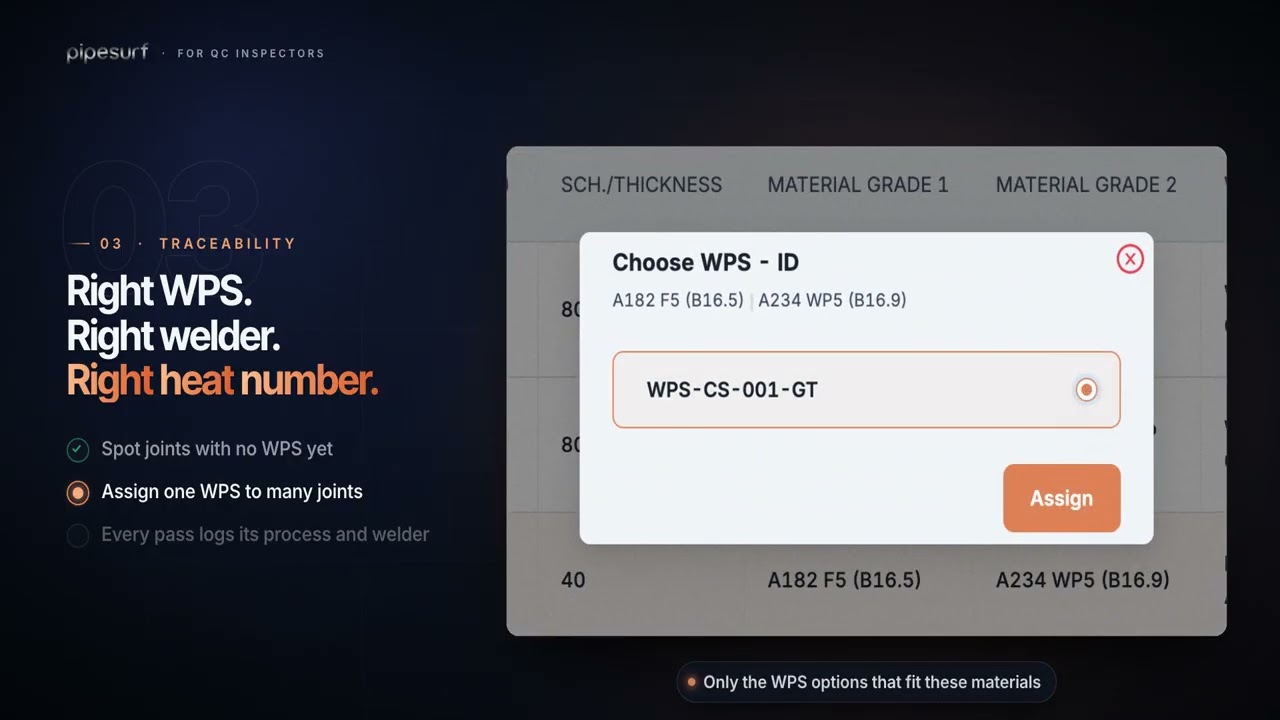
- 3The WPSAssigned by the Welding Foreman before the weld reaches you.
- 4The welder on each passEvery pass carries its process and the welder who made it.
- 5Every NDT attemptResults per method, with reports attached to the right attempt.
What changes with Pipesurf
Four things that stop happening the week you go live.
 With Pipesurf
Set it once for the project
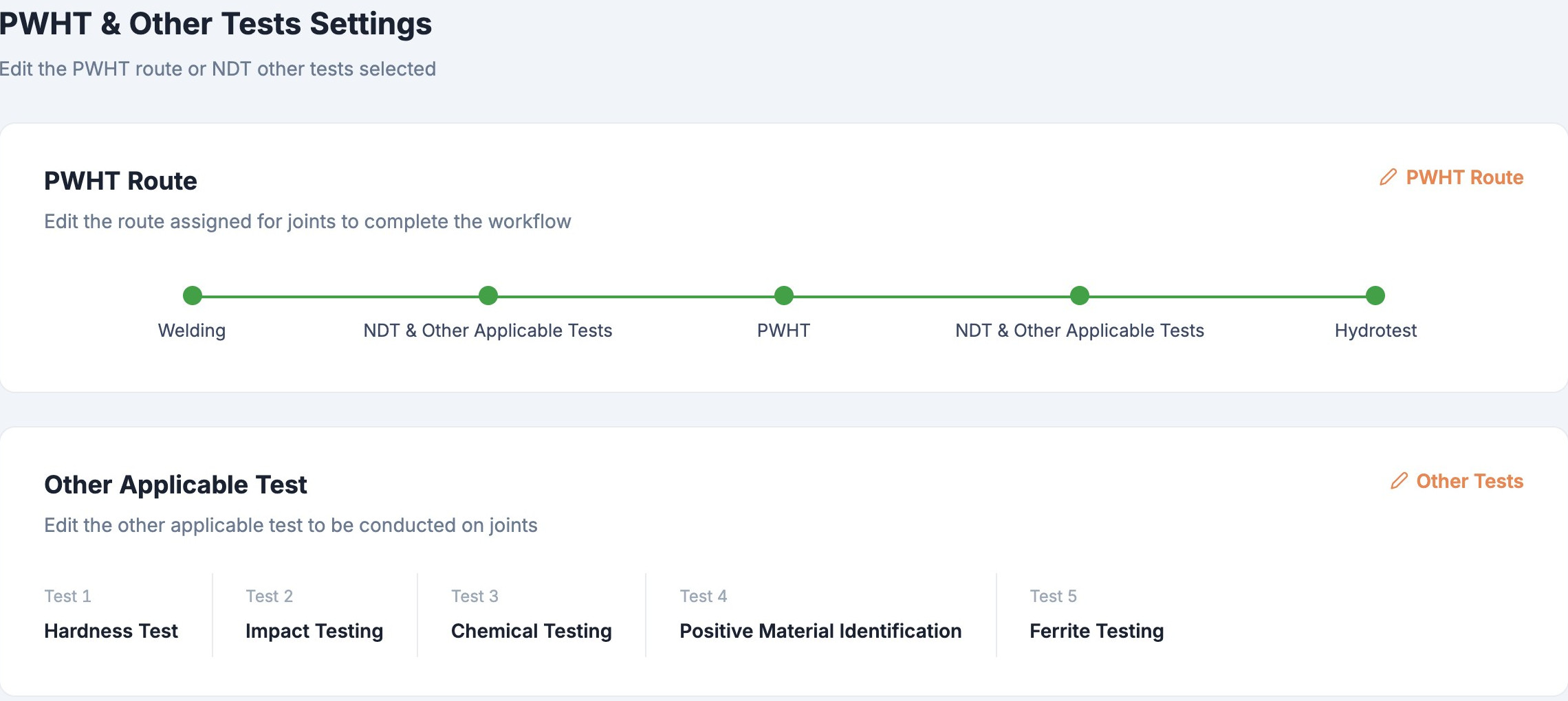
Pick the PWHT route and the extra tests your specification calls for. Pipesurf routes every joint on its own.
What you get
Built around the work you actually do, not around a spreadsheet.
Set the technical route
Choose the PWHT route and the other tests (hardness, impact, chemical, PMI, ferrite) once for the project.
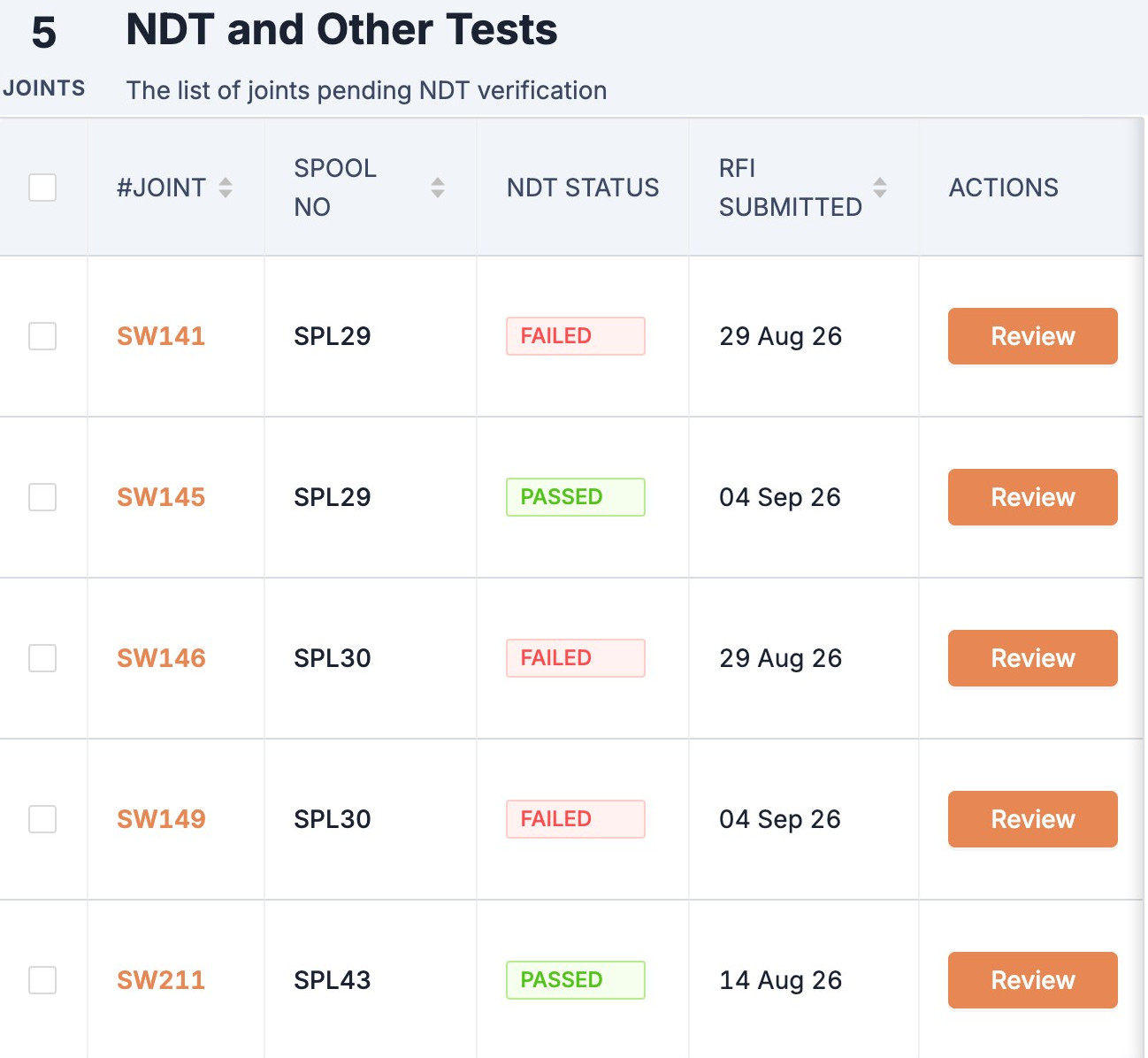
Verify from a queue
Fit-up, welding, PWHT and NDT: only what’s waiting for you.
Skip on the record
When a phase isn’t needed, skip it with your name against it.
Reports where they belong
Attach reports in bulk. The NDT team can now attach theirs too.
Pipesurf for QC inspectors
What Pipesurf looks like for QC Inspectors, start to finish, in 2:03.
Who you work with
Every hand-off in the job sits on one record: yours, the people you work with directly, and everyone else.
Every joint. Every spool. Under control.
See how QC Inspectors work in Pipesurf, on a project like yours. 30 minutes.