

Control the yard. Don’t just react to it.
Decide what the crews work on, see everything waiting for you, and send rework where it belongs, with the reason attached.
Sound familiar?
What the week looks like before Pipesurf.
The whole joint list hits the yard at once.
Crews pick the easy joints, and the ones you need are left for later.
Your phone is the approval system.
Photos, “done” messages and rejections, buried in a WhatsApp group.
QC rejects a weld. Now what?
You decide the rework on the spot, and nobody writes down why.
Approvals pile up where you can’t see them.
Until someone asks why a spool hasn’t moved in two weeks.
Your approvals, in your pocket
Real screens from the Pipesurf app for Production Engineers.


- 01Everything waiting on youApprovals and rejections, counted, on your phone.
- 02Progress in inch-diaPhase-wise completion, measured the way the yard measures.
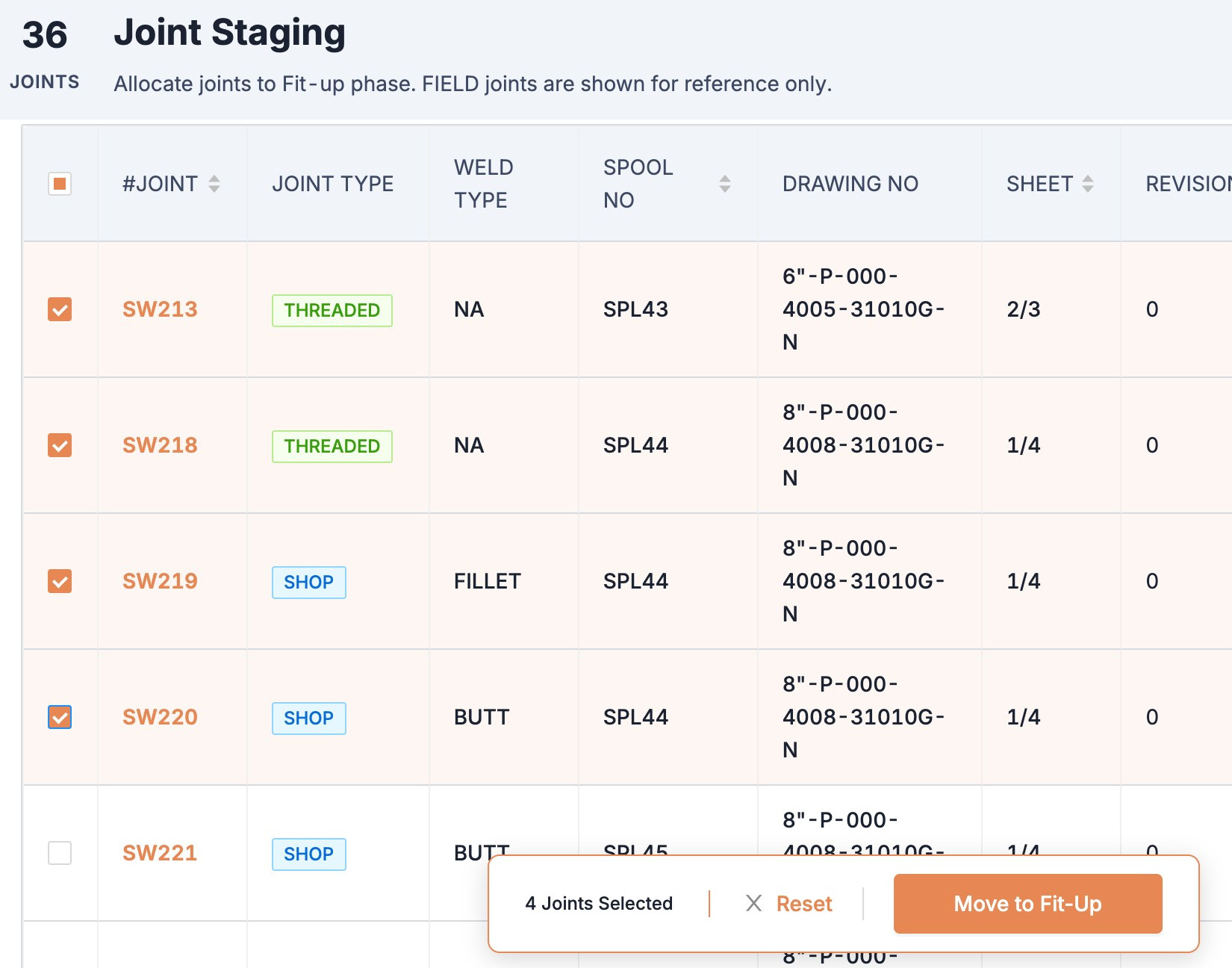
- 03Release work from the floorPick joints in Staging and move them to fit-up.
What changes with Pipesurf
Four things that stop happening the week you go live.
 With Pipesurf
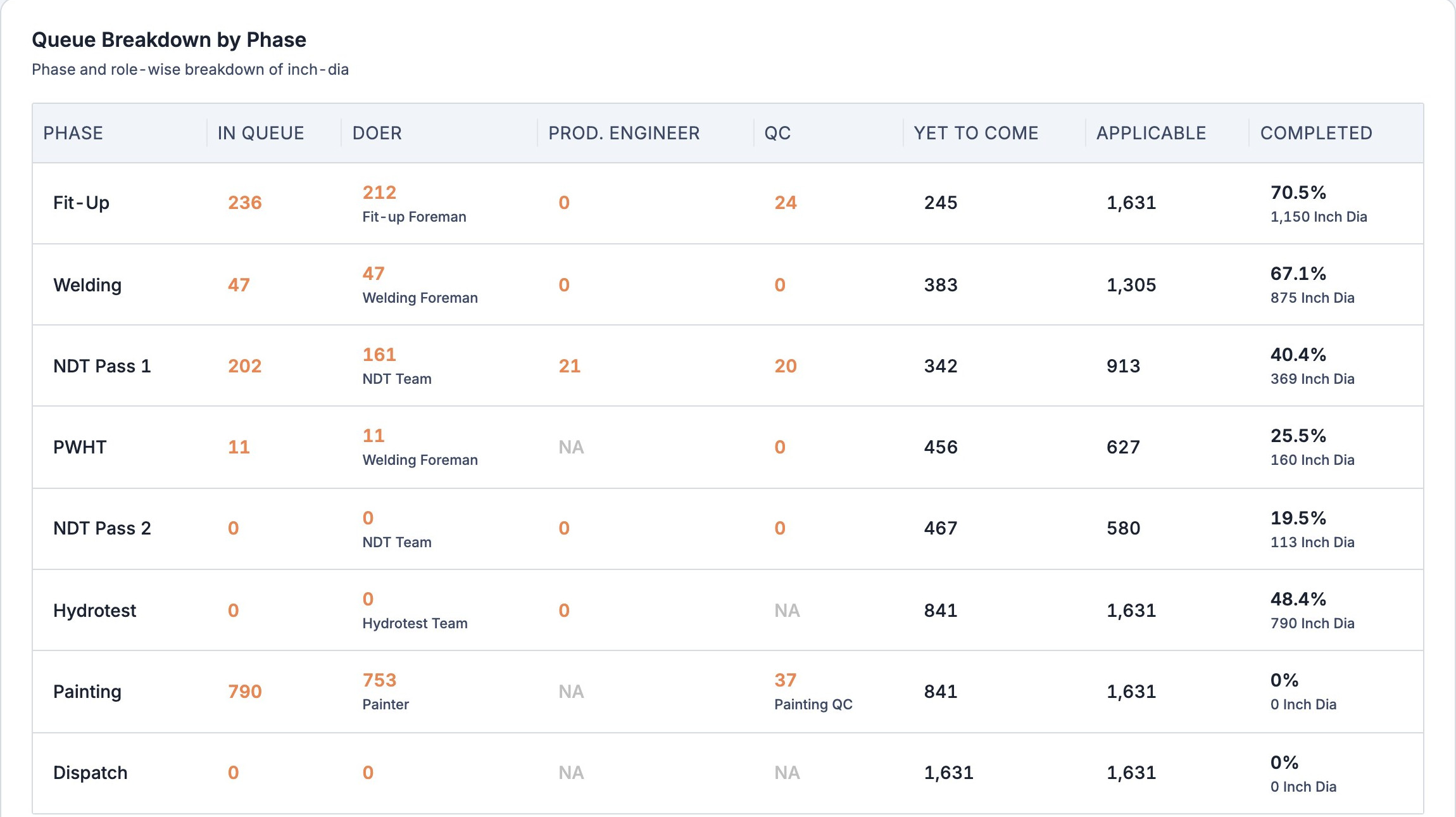
Where is the inch-dia stuck?
The queue breakdown shows every phase with what sits with the crew, with you and with QC.
What you get
Built around the work you actually do, not around a spreadsheet.
Own the gate to the yard
Nothing reaches the crews until you release it from Staging.
Approve at your pace
Approve fit-up one joint at a time or in batches, from the office or the floor.
Decide where rework goes
Every rejection comes to you, and you send it to the right crew.
Step in when needed
Take over work your crew hasn’t started, and correct records on the spot.
Who you work with
Every hand-off in the job sits on one record: yours, the people you work with directly, and everyone else.
Every joint. Every spool. Under control.
See how Production Engineers work in Pipesurf, on a project like yours. 30 minutes.